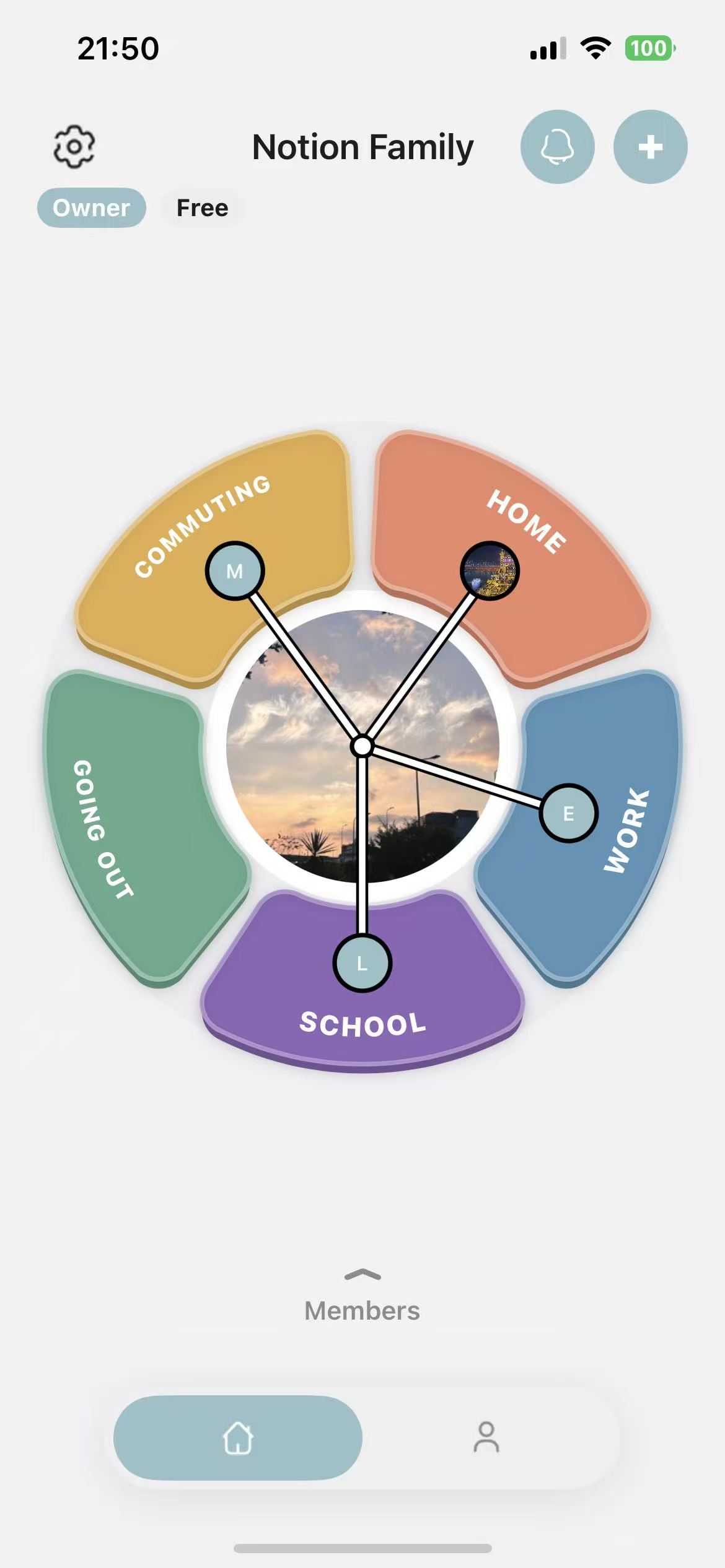
Family status, at a glance.
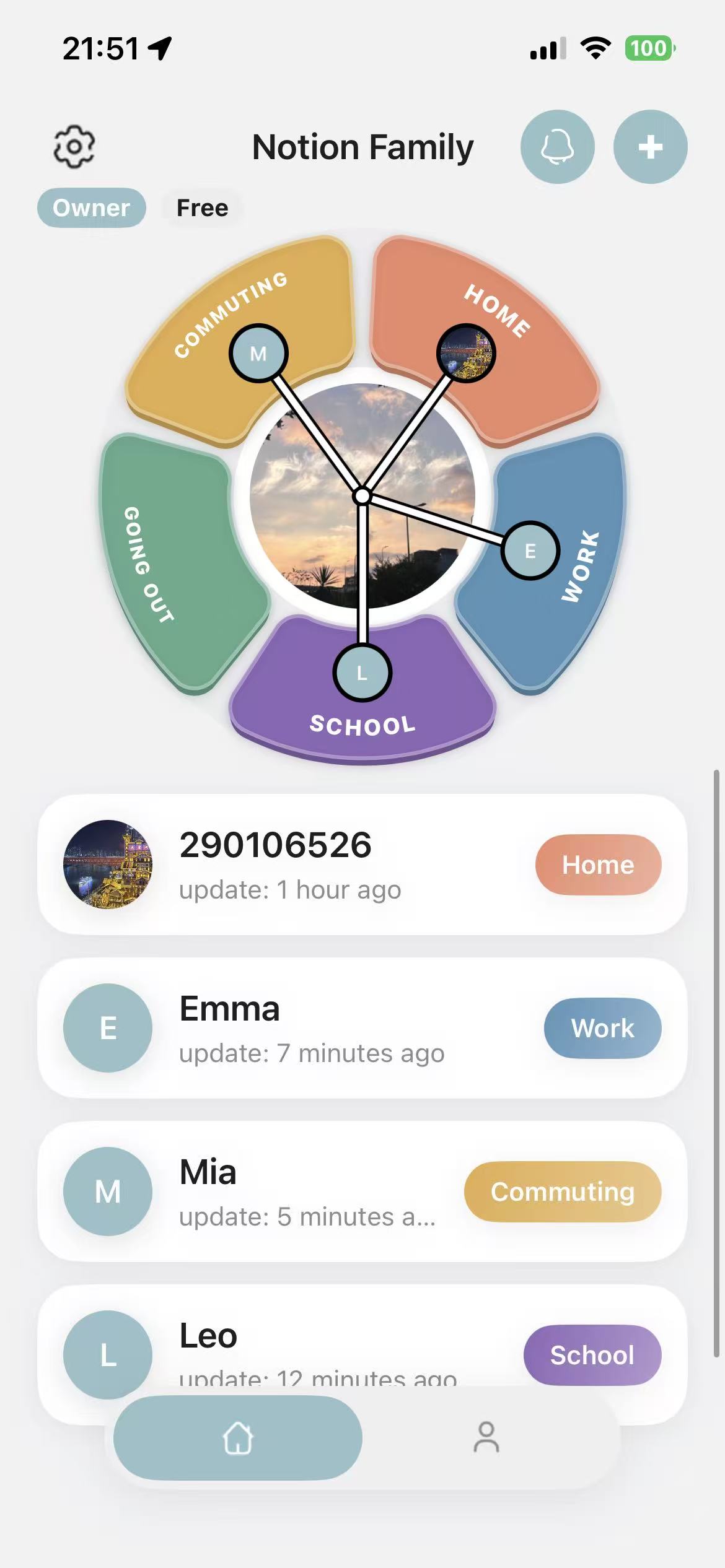
See each person’s current status and when it last changed without sending another check-in message.
- Simple, familiar status labels
- Visible last-updated times
- Custom statuses for your household
 Family Status Clock · Dollagon
See Home, Work, School, and Away at a glance. Get optional arrival and departure alerts while keeping continuous location off the family screen.
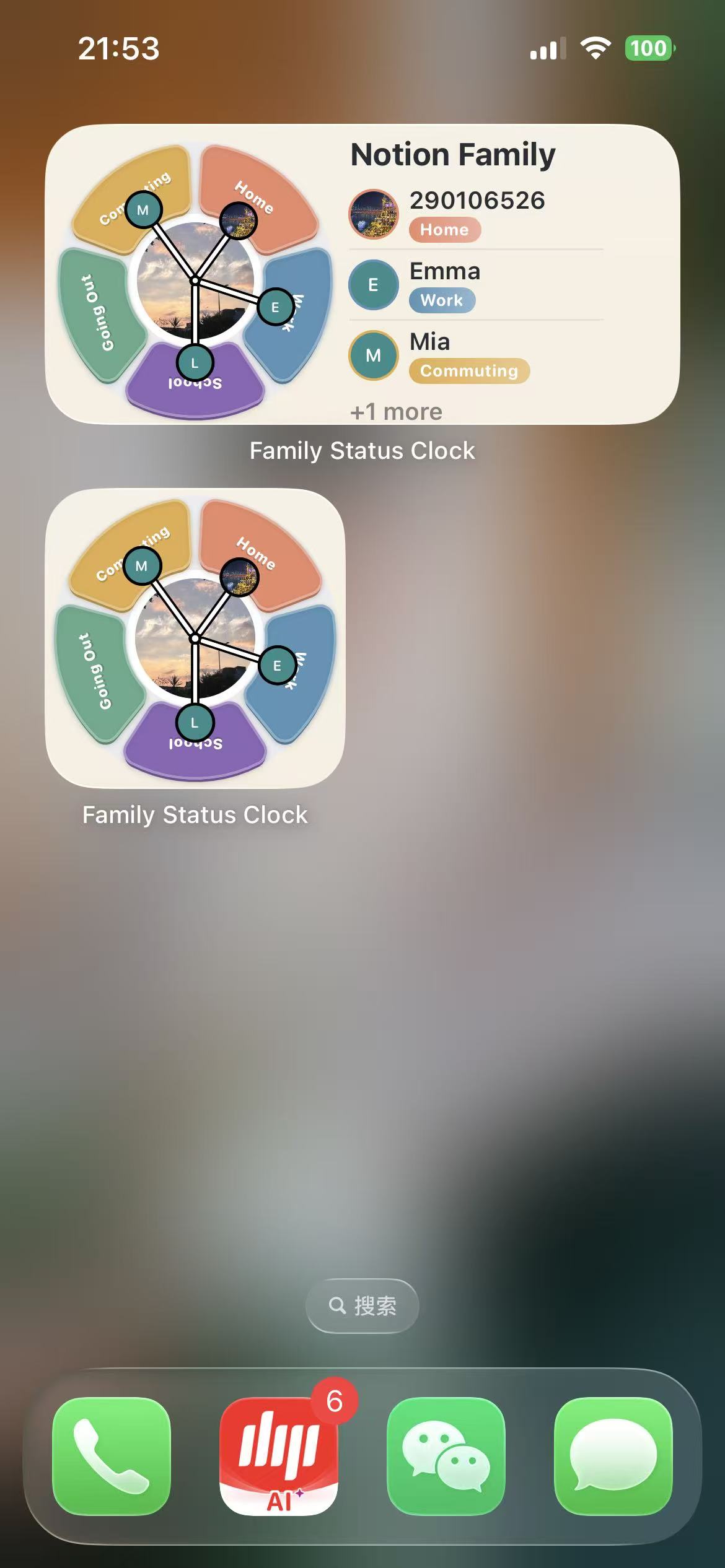
Your family sees a simple status and update time—not a constantly moving dot or a route history.
Home, Work, School, Going Out, and custom statuses make everyday coordination clear without turning care into surveillance.
See each person’s current status and when it last changed without sending another check-in message.
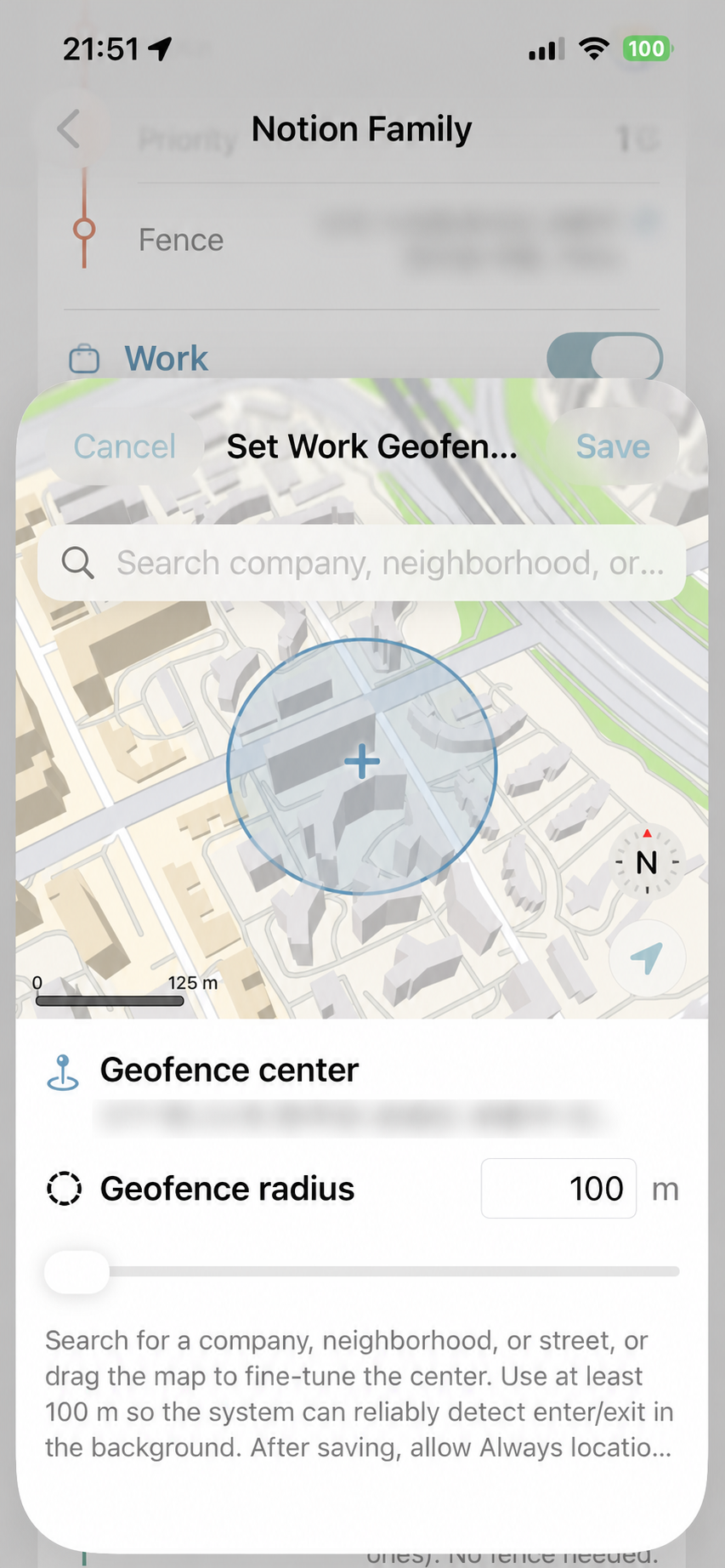
Set geofences for places such as Home, Work, or School so status can update automatically when someone arrives or leaves.
Check the family clock without opening the app. Choose a compact widget for the shared status dial or a wider widget that pairs the clock with a family member’s latest status.
Family Status Clock uses Apple’s location framework for places you configure. Updates can depend on permissions, battery, network, and iOS background limits.
Family members normally see a status and update time rather than continuous route history.
Location and notification access can be changed at any time in iOS Settings.
Updates may be delayed and should not be used as a real-time safety or medical service.
Read how accounts, location updates, subscriptions, and privacy work before or after you download.
Download Family Status Clock for free on the App Store.